A directory, not a wallet.
PI-SPI, the WAEMU's instant payment platform, gives you one alias per account. Alias Pi keeps them all in one place.
Alias Pi
- stores your PI-SPI aliases, account by account
- finds, copies and shares them
- keeps the QR Code your institution gave you
Alias Pi never
- makes a payment or reads a balance
- connects to your bank accounts
- generates a QR Code
What Alias Pi does
The app’s interface is in French.
Your institutions, together.
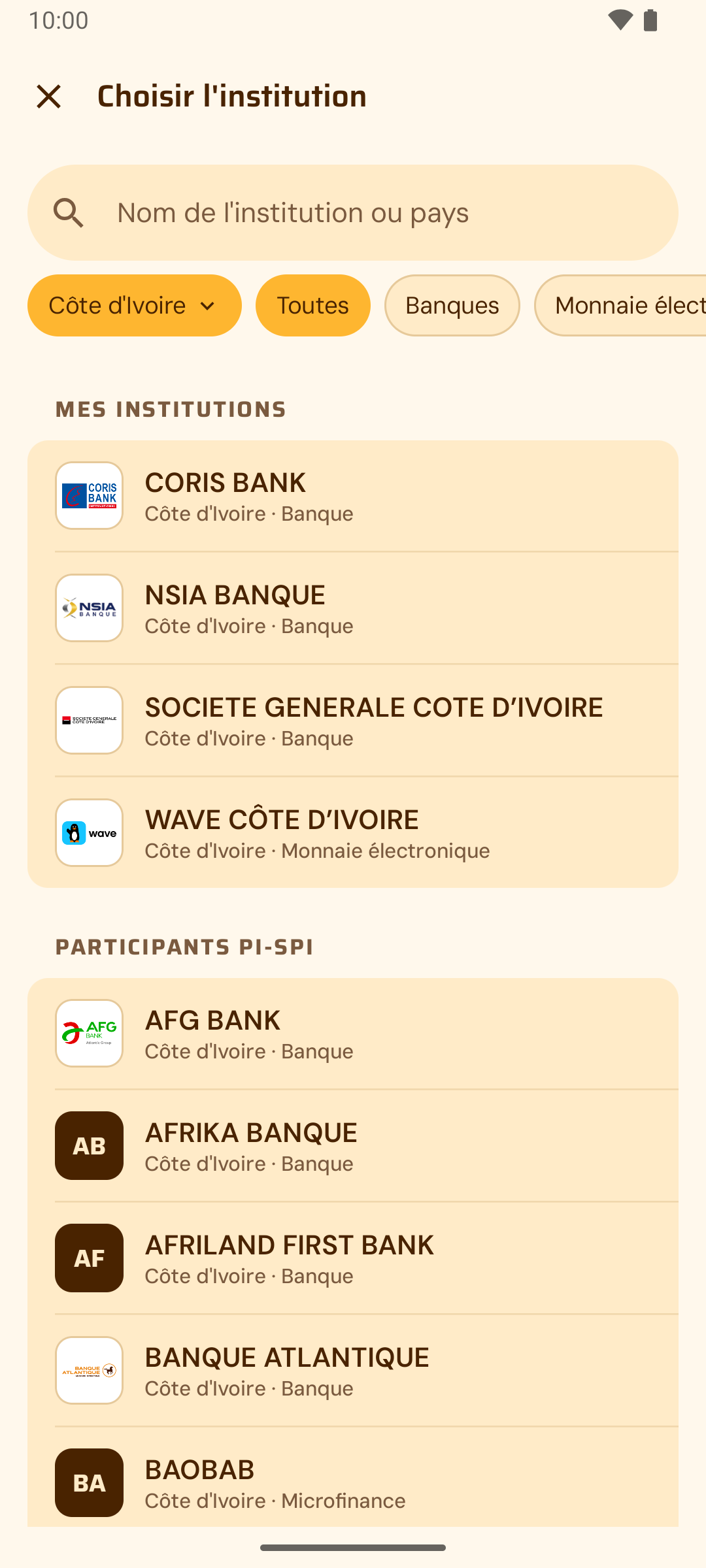
The catalog lists the 175 PI-SPI participants published by the BCEAO, across the 8 WAEMU countries. Search by name or country, filter by bank, e-money or microfinance.
Institution missing? Add it yourself: it is marked “Added by you”.
Your accounts, organized.
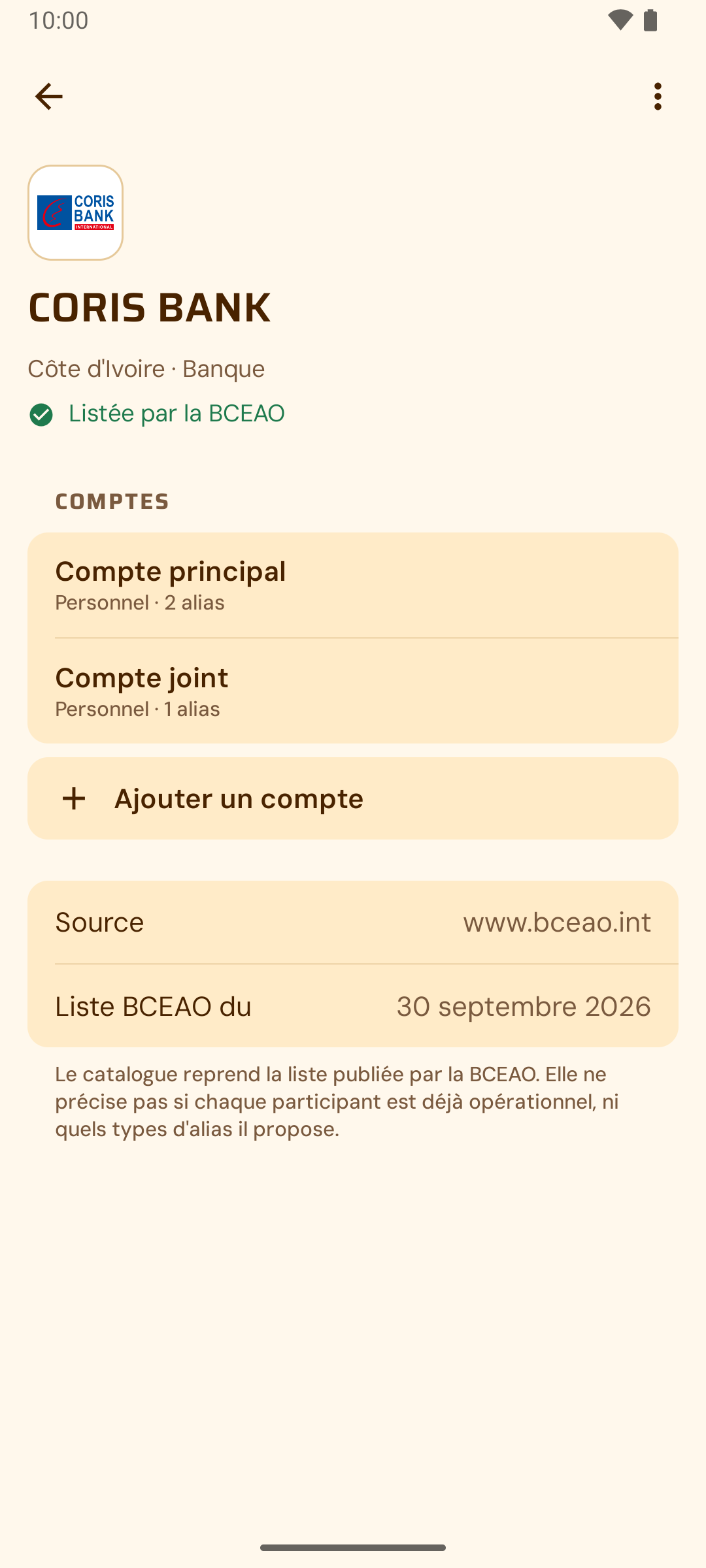
Several accounts per institution: personal, professional, business. Each alias belongs to the right account.
An optional beneficiary name, used only in the card you choose to share.
Your aliases, at hand.
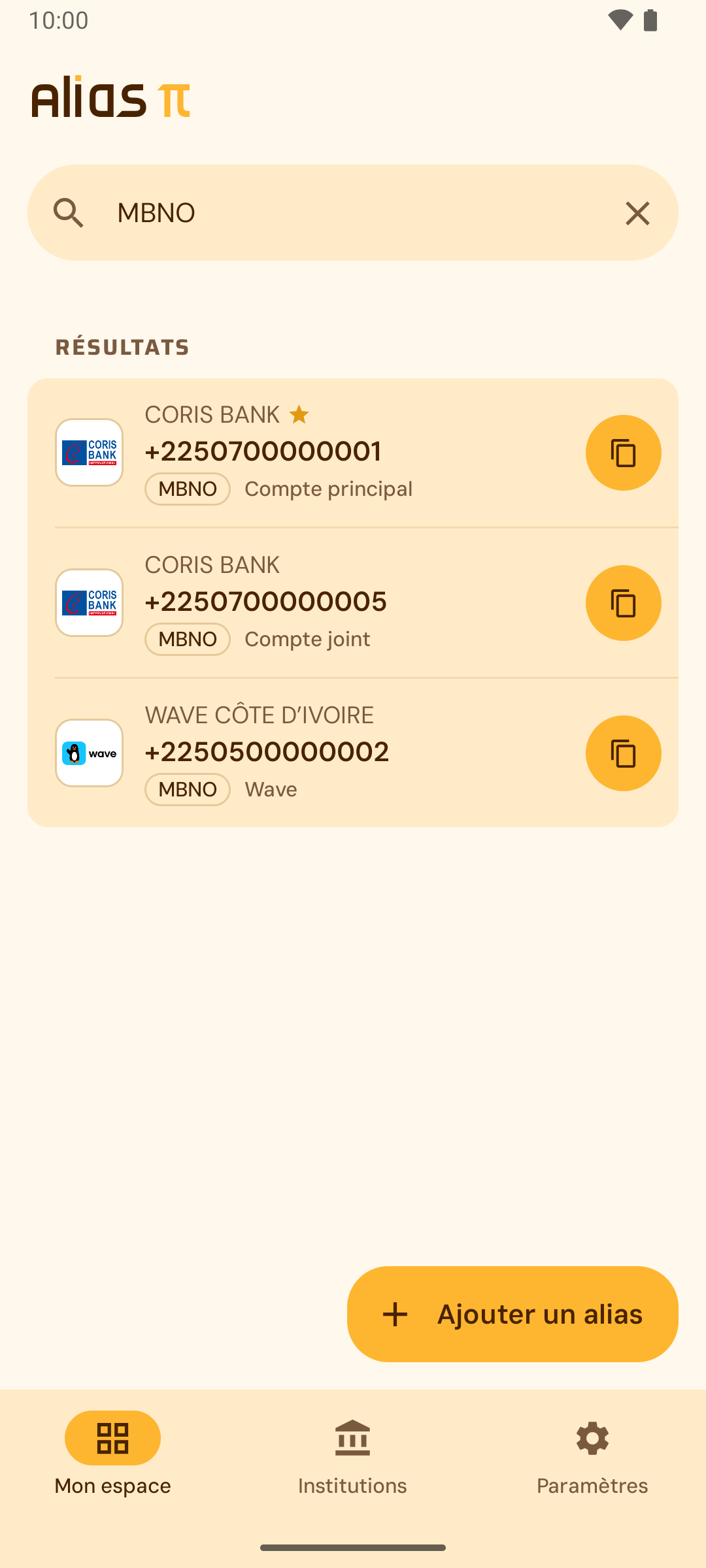
All three PI-SPI alias types: payment address (SHID), mobile number (MBNO) and merchant code (MCOD). The format is checked as you type, without blocking you.
A primary alias up front, and search by institution, account, type or value.
Copy. Share. Done.
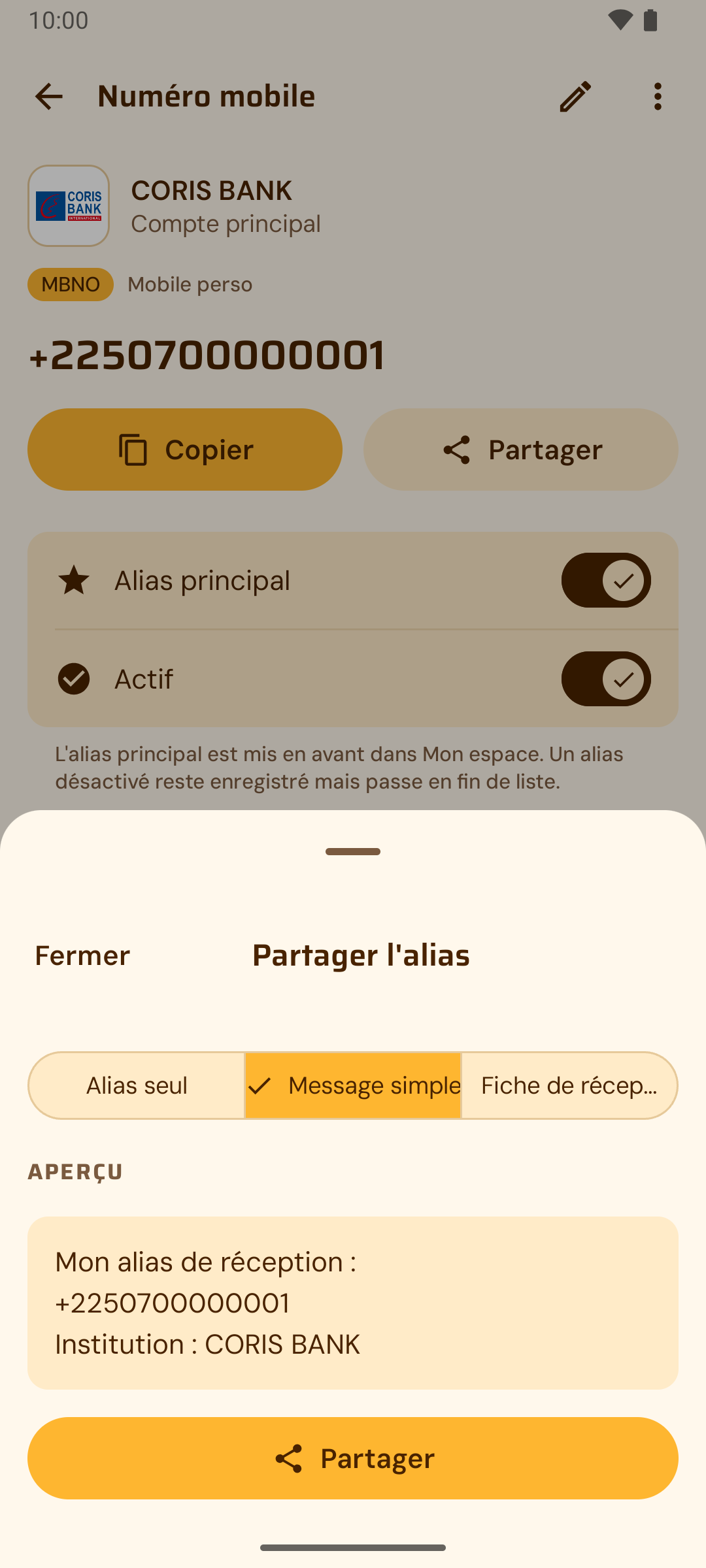
Copy in one tap. Share in three formats: the alias alone, a short message or a full receiving card, with a preview before sending.
Import your institution’s QR Code from photos, files or the camera: Alias Pi checks it follows the PI-SPI format and matches your alias.
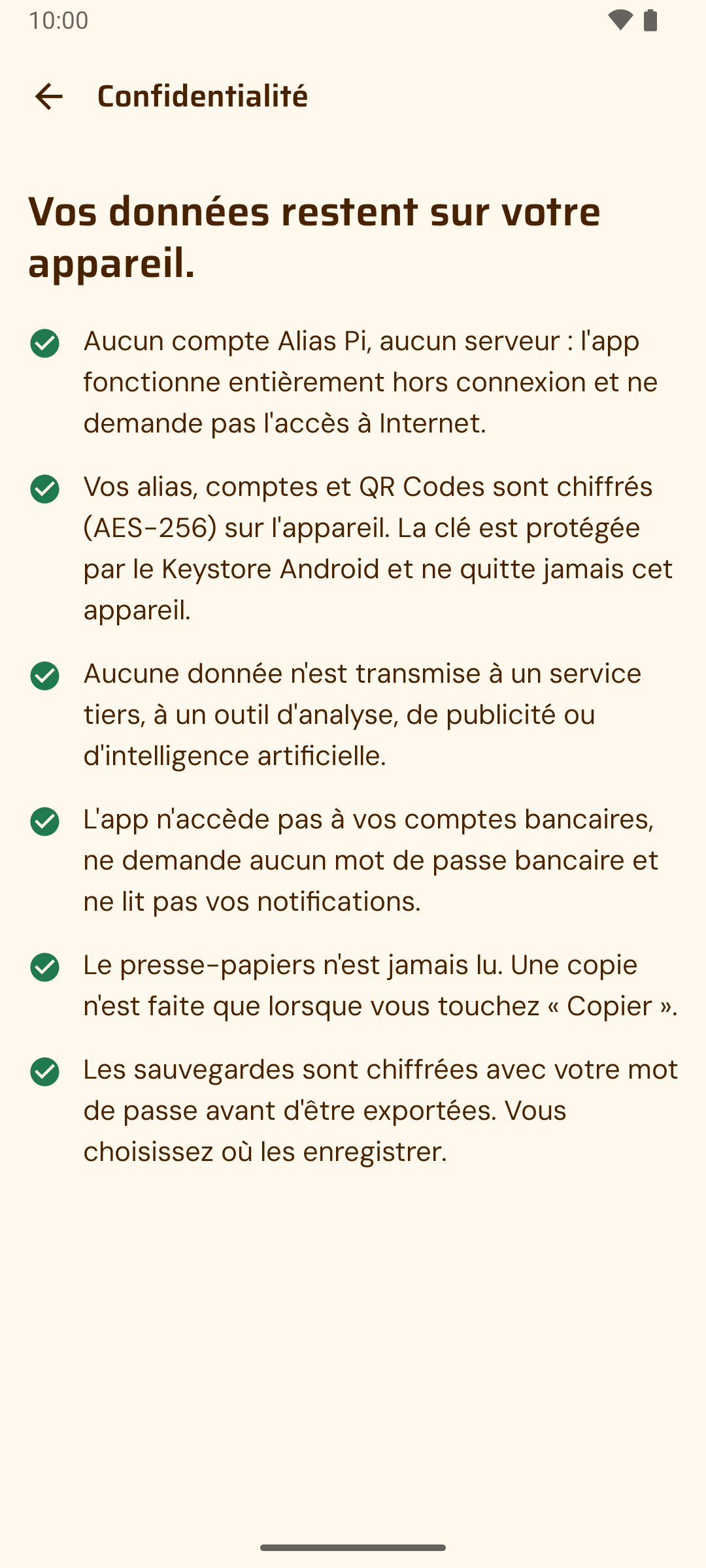
Your data stays on your device.
No vague promises: these are facts you can check in the app’s permissions.
- No Internet access
- The Android app does not request the Internet permission. No account, no server, no sync.
- Encrypted on the device
- Aliases, accounts and QR Codes are encrypted with AES-256, with a key protected by the phone’s system.
- Optional lock
- Fingerprint, face or device passcode.
- Backups you control
- One file encrypted with your password, saved wherever you like, readable on iPhone and Android alike.
- Nothing to collect
- No ads, no analytics. The clipboard is never read.
Questions
What is a PI-SPI alias?
It is the identifier that lets you receive an instant payment on PI-SPI, the WAEMU platform: a payment address (SHID), a mobile number (MBNO) or a merchant code (MCOD). Your bank or e-money provider assigns it.
Can Alias Pi send or receive money?
No. Alias Pi is neither a bank nor a wallet. It keeps your aliases so you can give them out. Payments happen in your institution’s app.
Where is my data stored?
Only on your phone, encrypted. Alias Pi has no server and no account to create. If you delete the app without a backup, your data goes with it.
I’m moving from iPhone to Android (or back). Do I lose everything?
No. Export an encrypted backup from the settings, then restore it on the new phone. The file is the same on iPhone and Android.
My institution isn’t listed.
Add it yourself: it is marked “Added by you”. If it later joins the official catalog, Alias Pi offers to link it, and never does so without asking.
How much does it cost?
Nothing. Alias Pi is free, with no in-app purchases and no ads.
When will it be available?
The app is being published on Google Play and the App Store. The download buttons on this page will switch on as soon as it is live.
Your aliases, at hand.
Free, no ads, no account to create.
- Google Play, Coming soon
- App Store, Coming soon
The app is being published. Store links will appear here as soon as it is live.